Blocks ads and trackers. And catches the ones that slip through.
A free, open-source Chrome extension made in Mexico. It blocks with the open filter lists millions of people rely on, removes YouTube video ads, and when an ad escapes all of them it points it out so you can remove it in one click.
You are on a phone: Chrome only installs extensions on computers. Email yourself the link and open it there.
- Free, no paid tier
- Open source, GPLv3
- Zero data leaves your device
- Made in Mexico
Everything it does, and the rule that makes it work
Every feature rests on rules anyone can read. Next to each one is a real example.
Blocks ads and trackers
From the moment you install it, with nothing to set up. It uses EasyList, EasyPrivacy and EasyList Spanish, the open lists maintained by hundreds of people and used by the best-known blockers.
||googlesyndication.com^network rule, from EasyListYouTube without video ads
Removes the ads before and during videos, using the rules of uBlock Origin. Measured on 12 popular videos: none with an ad, all 12 playing.
youtube.com##+js(json-prune, adPlacements)uBlock Origin scriptletTells you when one slips through
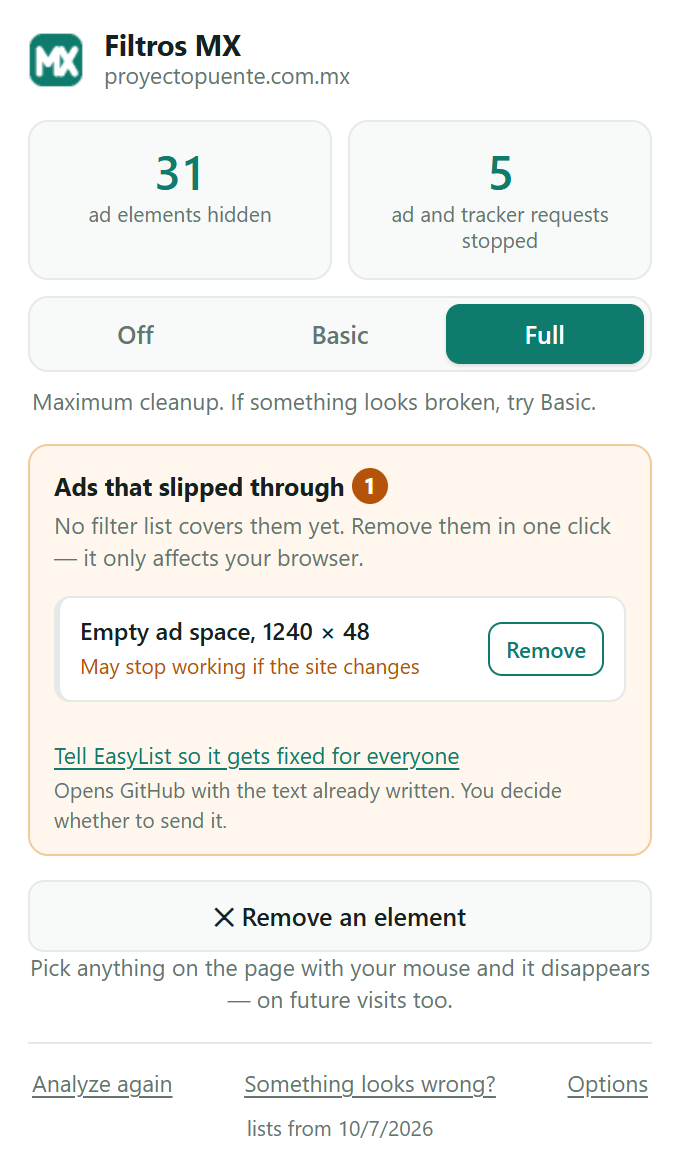
When an ad escapes every list, the icon turns amber and tells you which one it is. It recognizes ads by what they contain, not by what they are called, so a site redesign does not fool it.
.banner--faro1110 × 90slipped throughfound on quadratin.com.mxRemoves whatever gets in your way
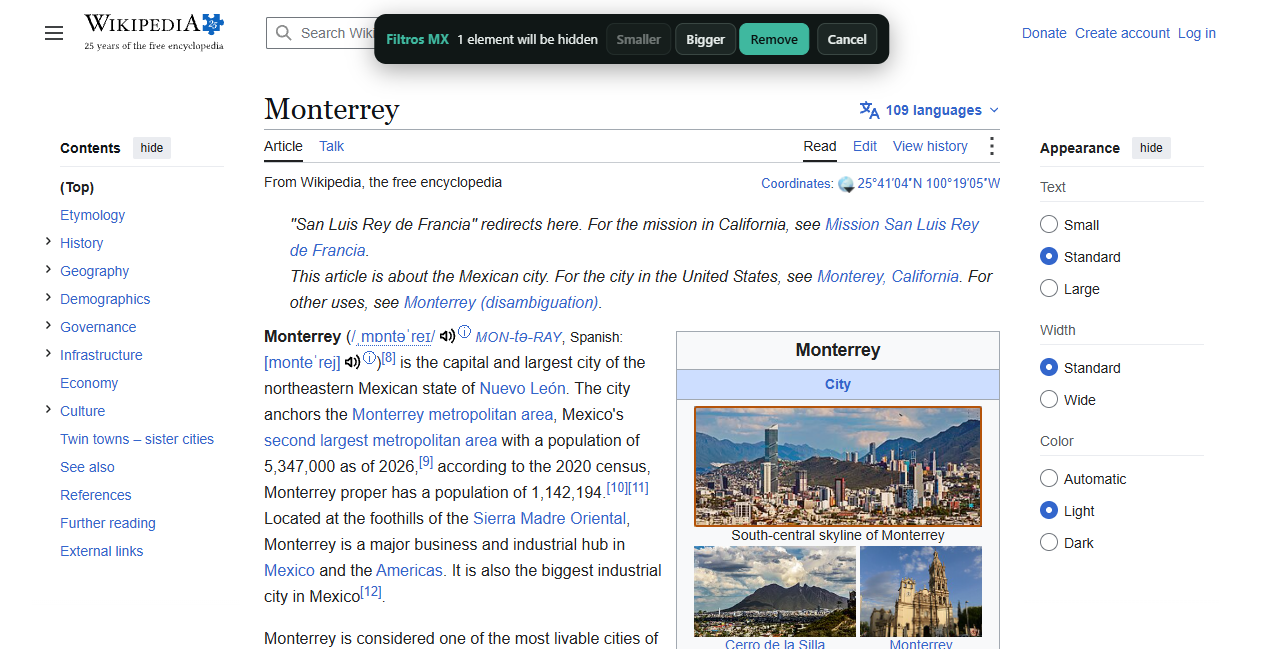
With “Remove an element” you pick anything on the page with your mouse and it disappears, on future visits too. Undo it from the same icon.
en.wikipedia.org###siteNoticeyour own rule, stored on your deviceYou decide on every site
Full for maximum cleanup, Basic if a site acts up, Off if you want to support it. One click in the icon, no hidden menus.
Shows you what it did
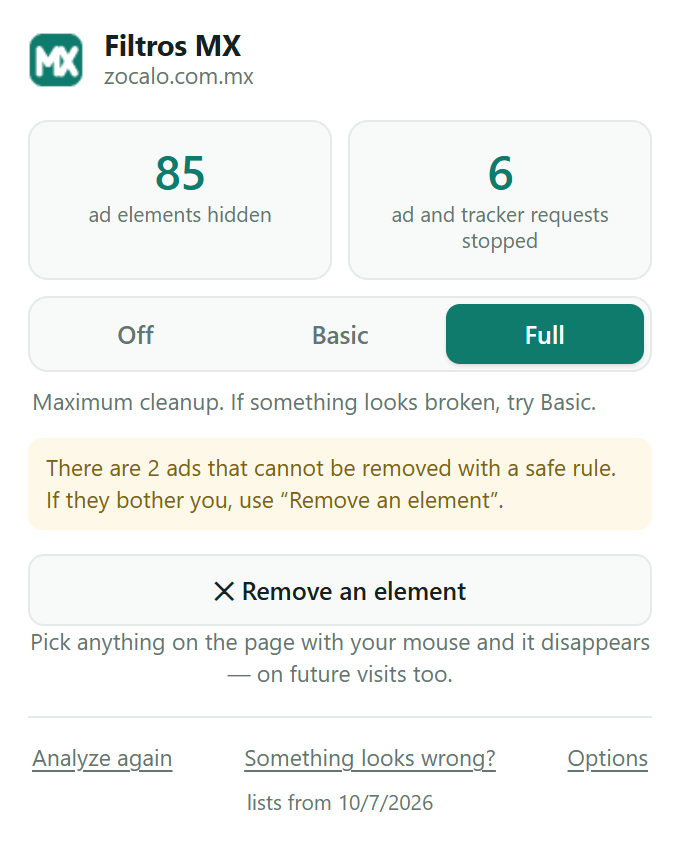
On every page, how many ad elements it hid and how many tracker requests it stopped, plus the total since you installed it. A blocker that does not show this looks like it does nothing.
Fixes the web for everyone, not just you
If you want, it drafts a report for EasyList Spanish with what it found. You read it and decide whether to send it; once accepted, it is fixed for anyone using that list.
quadratin.com.mx##.banner--faroaccepted into EasyList SpanishInstalls in half a minute and asks for nothing else
-
Add it from the Chrome Web Store
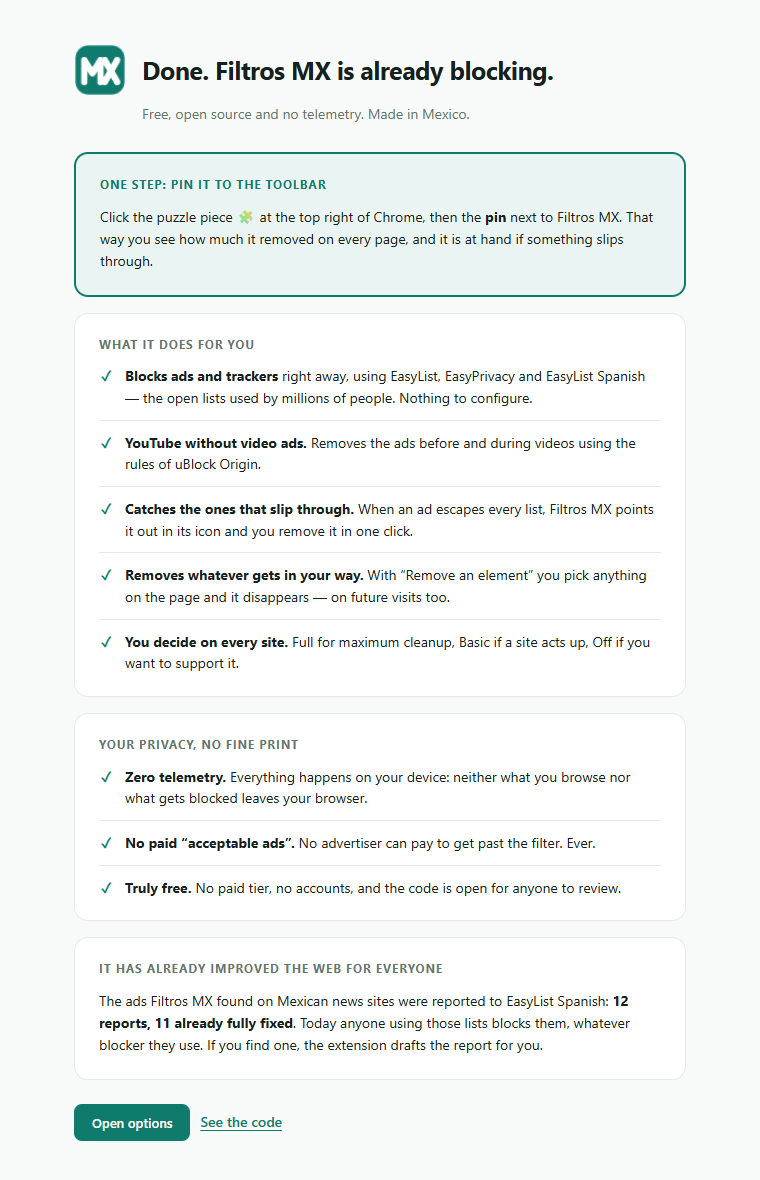
Free, no account needed. When it finishes, a page opens asking for one single step: pinning the icon to the toolbar.
-
Browse as usual
Ads and trackers disappear on their own. If one slips through, the icon turns amber and the popup tells you which one.
-
Remove what is left
One click on “Remove” and it is gone. With “Remove an element” you pick anything else that gets in your way, here the notice at the top of Wikipedia.
What data Filtros MX collects: none
No telemetry, no analytics, no server. Nothing you see, visit or block leaves your device, and there is no exception, not even “to improve detection”, which is how it usually sneaks in. Every page is analyzed entirely in your browser.
What the extension stores, it stores on your device only: your settings, the mode of each site, the rules you create with “Remove” and “Remove an element”, and one single number: how many ad elements it has hidden since you installed it, with no site, page or date. It is erased when you uninstall.
You do not have to take our word for it: the code is open and does not contain a single outgoing network call. A report to EasyList Spanish is opened by you, with the full text in view, and only if you click. Read the code
What Chrome asks when you install it, and why
- Read and change data on websites
- To hide the ads on the page you are viewing. A blocker cannot know in advance which sites you will visit. The page is read and changed only for that, and only on your device.
- Read your browsing history
- That is what Chrome calls it, but what is used is the “a page is loading” signal, to apply the rules before the page is drawn. No address is stored or sent.
- Block content on pages
- The core function. The rules are declarative: the extension does not see what requests contain, it only tells Chrome which ones not to load.
Five commitments that do not change
- Nothing is charged for. No plans, no tiers, no paid features. There never will be.
- No advertiser can pay to get past the filter. There is not and will never be a paid allowlist of “acceptable ads”.
- Zero browsing data leaves your device. All analysis is local, with no exceptions and no hidden telemetry.
- Donations, if there are ever any, pay for servers. Never salaries, and they buy no influence: no donor decides what gets blocked.
- If it stops being maintained, it is withdrawn. An unmaintained blocker is worse than none: you think you are protected and you are not. It is in writing: a public notice after 60 days without maintenance and withdrawal after 90.
12 reports to EasyList Spanish. 11 already fully fixed.
When the extension finds ads that no list covers, we do not hide them in a list of our own: we report them to EasyList Spanish, where they get fixed for anyone using that list, whatever blocker they use. Every report is public and can be checked:
| Site | Report | Status | What happened |
|---|---|---|---|
| eldiariodechihuahua.mx | #357 | Accepted | The domain was added to the multi-site rule we asked for |
| elsiglodetorreon.com.mx | #358 | Accepted | They also removed one of their own rules that had long stopped working |
| zocalo.com.mx | #359 | Accepted | The maintainer added extra rules on top of ours |
| periodicocorreo.com.mx | #360 | Fixed another way | We measured on the live page that their fix covered the same. It did |
| elmanana.com.mx | #361 | Accepted | Accepted as proposed |
| tribuna.com.mx | #362 | Fixed another way | Verified on all three page templates: covered |
| quadratin.com.mx | #363 | Partly | Of the two missing, one got in; the other shrank to 96 px tall |
| elmanana.com (Reynosa) | #364 | Accepted | Applied with a broader rule than proposed; we measured that it covers |
| imagendelgolfo.mx | #365 | Accepted | The largest we measured; applied to three sites on the same CMS |
| diariodemorelos.com | #366 | Accepted | 818,793 px² on the front page; applied to nine sites and measured at zero |
| codigoqro.mx | #368 | Accepted | Took two follow-ups: all three rules got in and the site measures zero |
| posta.com.mx | #369 | Accepted | Partly fixed; the follow-up went in as written: front page and articles at zero |
“Fixed another way” only counts after measuring on the live page that the maintainer’s fix covers the same thing we reported. Closed is not the same as fixed, and the difference is checked, not assumed.
Frequently asked questions
Is it really free?
Yes. No paid tier, no reserved features, no account to create. It does not sell your data either: it does not have any. The project does not seek income.
Does it work on my phone?
No. Chrome only installs extensions on computers: Windows, Mac, Linux and ChromeOS. If you are on your phone, email yourself the link and open it on your computer.
Does it work on Edge, Brave or Opera?
It is built and tested for Google Chrome. Other Chromium-based browsers can install extensions from the Chrome Web Store, but we have not tested them.
Does it see what I browse?
Nothing leaves your device. The extension reads the page you have open to hide the ads, right there, and has no server to send anything to. The code is public so you do not have to trust us.
Does it remove YouTube ads?
Yes, the ones before and during videos, using the rules of uBlock Origin. We measured 12 popular videos: none with an ad, all 12 playing. YouTube changes often to dodge these rules; we measure again every month and before every version, and if it breaks we say so here.
What if a page looks broken?
Open the icon and switch that site to Basic, which only applies the rules written for it. If it is still wrong, set it to Off. And tell us with the “Something looks wrong?” button in the icon, or at contacto@filtrosmx.com.
Why does Chrome say Enhanced Safe Browsing does not trust it?
If you have that option on, you will see the warning. It is not about the code: it measures how long the developer has been on the store, and this project is new. It happens to about one in four published extensions and goes away on its own over the months. Meanwhile you can do what we prefer anyway: read the code.
Can I use it with another blocker?
You can, although we have not tested it. If a page breaks with both on, try leaving only one.
How do I remove it?
Right-click the icon and choose “Remove from Chrome”. Everything it stored on your device is erased.
Who is behind it?
It is made by Edgar Alonso Sosa Camargo, in Mexico. All the code, measurements and reports are public.
For anyone who wants to look inside
Everything is on GitHub under GPLv3: the extension, the tools that build it, and the measurements run before every version.
The list, for your own blocker
The filters for Mexican sites can also be used in uBlock Origin or AdGuard. Today the list is empty because everything it found was already accepted into EasyList Spanish; subscribing means getting the next rule they do not take. It is served from GitHub and never from this domain: a domain can expire and fall into other hands.
https://raw.githubusercontent.com/edso79/filtros-mx/main/mexico.txt
Try it. If you do not like it, it is gone in two clicks.
Add to Chrome, freeYou are on a phone: Chrome only installs extensions on computers. Email yourself the link and open it there.
Already using it? Leave a review: it helps more people find it.